Confirm the destination before diving
The starting region panel offers 100 m and shows two deeper locked choices. Its detailed panel identifies Ocean Shallows. Confirm the available destination with the green check; a locked depth is not another selectable room.
Watch inventory and weapon counters separately
At 1:22, the lower-left inventory holds four pink jellyfish and is marked Full. The lower-right bubble tool simultaneously reads 03/12. These are different displays: 03/12 is not the number of jellyfish in the bag.
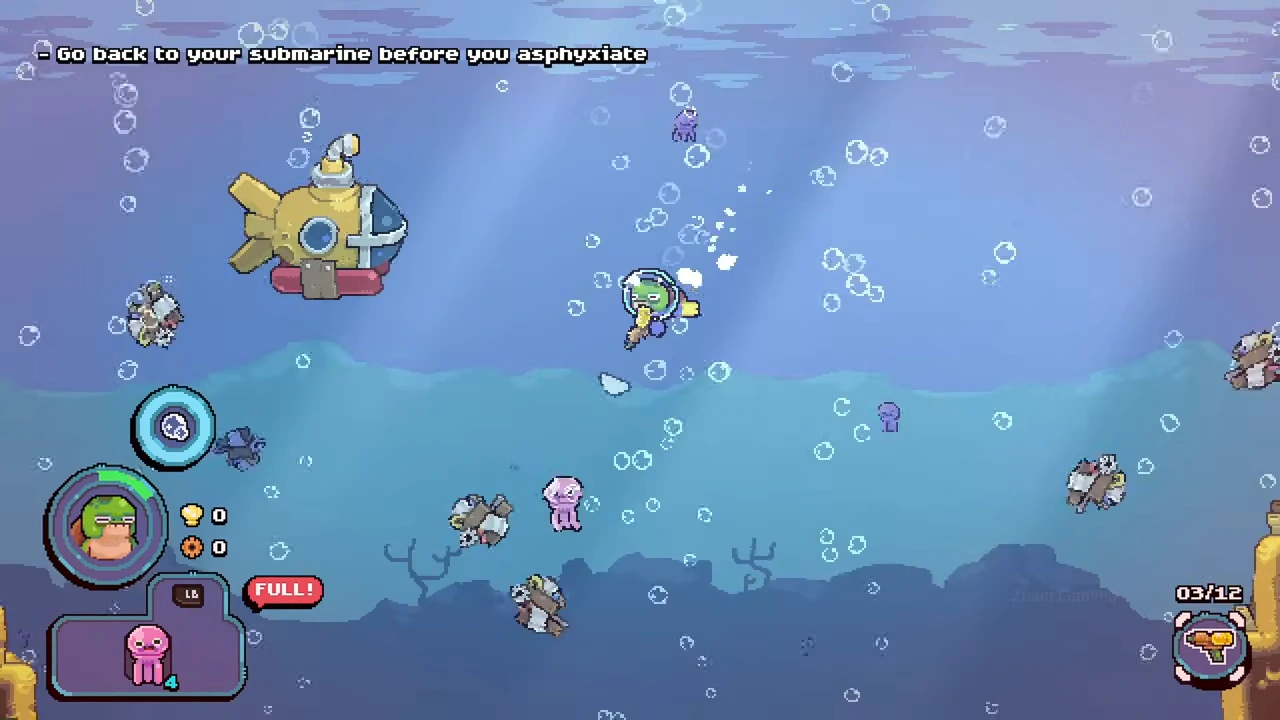
Finish at the submarine
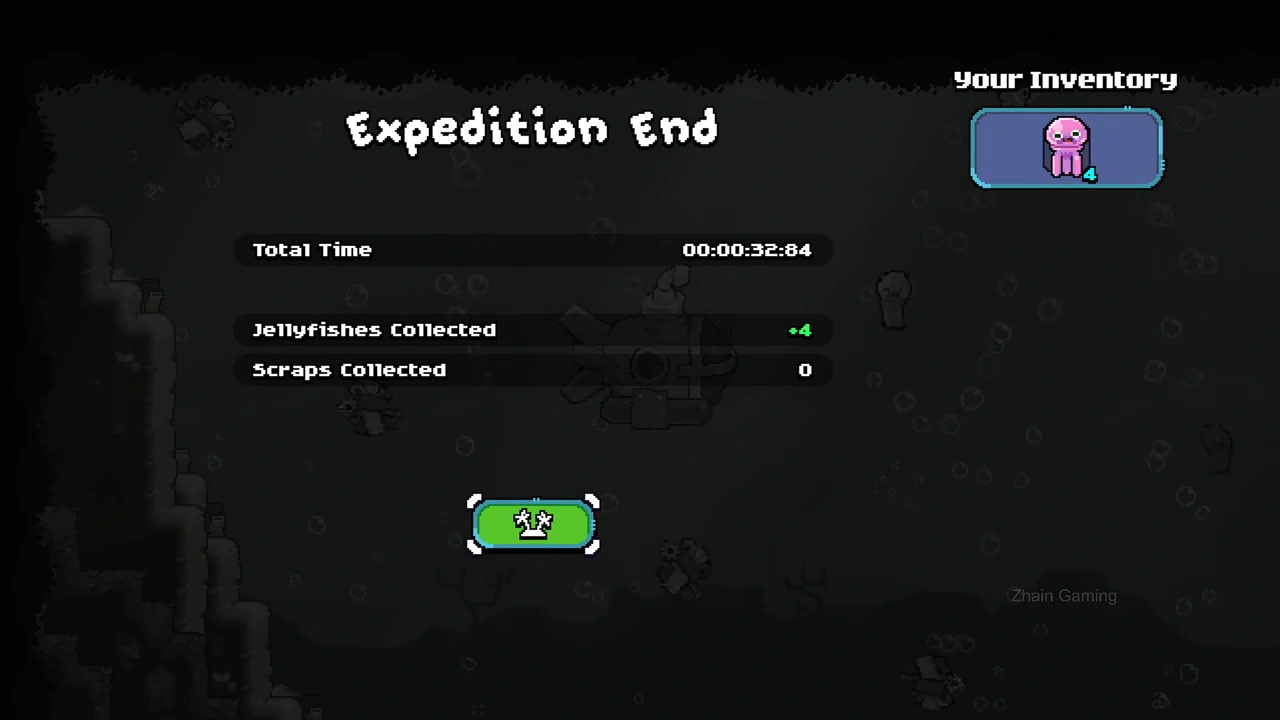
The player reaches the submarine at 1:25 and the expedition summary opens immediately afterward. The summary lists four jellyfish and zero scrap. Use its green continuation control to return to the village.
Do not confuse a collected catch with spendable money
The four jellyfish remain inventory on the expedition result. They become stock for the village shop; the separate chest interaction collects the sale proceeds. Continue with the full opening-loop guide if you need the selling and upgrade steps.