Identify the bottleneck before buying
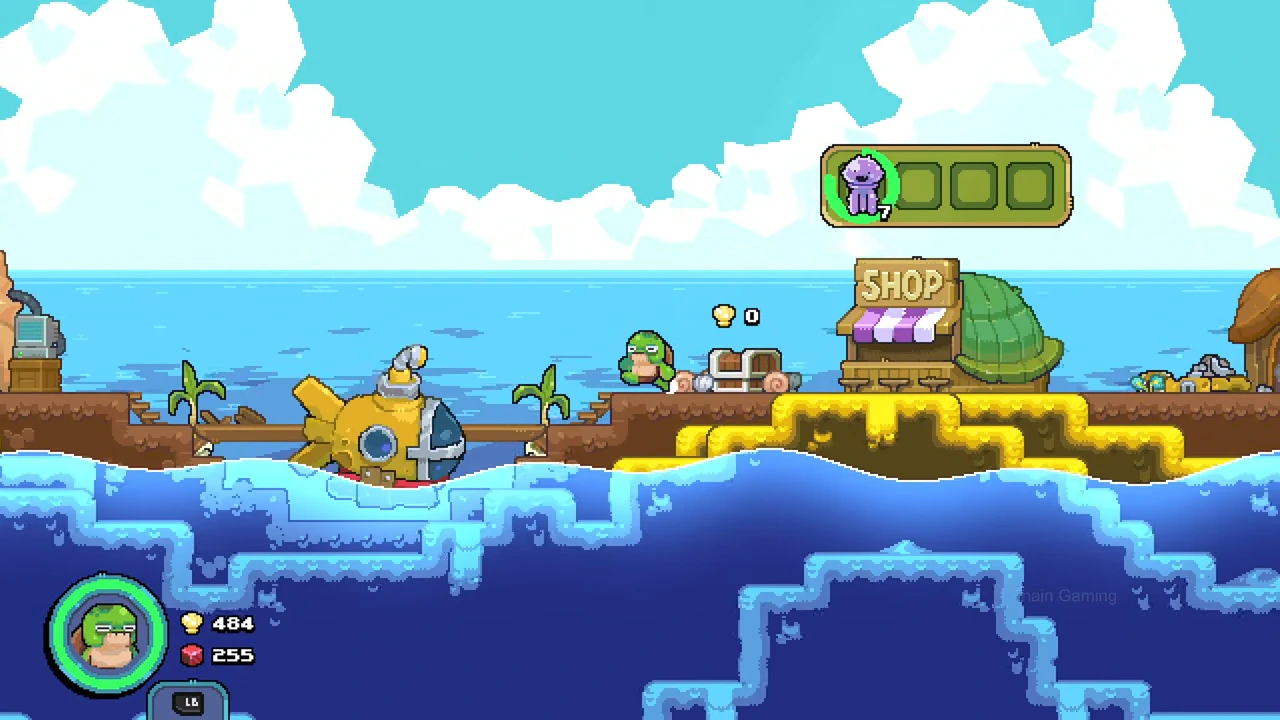
Unload a catch at the village shop, then collect its proceeds from the nearby chest. The shop stock and chest are separate stages. Improving one stage does not automatically improve the other.
| Upgrade shown | Native effect | What it does not establish |
|---|---|---|
| Store Speed III | Faster sale of jellyfish | A higher price per jellyfish |
| Chest Speed I | Faster collection of shells from the chest | Automatic collection from anywhere |
| Jellyfish Value I | Jellyfish worth more shells | Faster shop processing |
Buy a Store Speed level in the skill tree
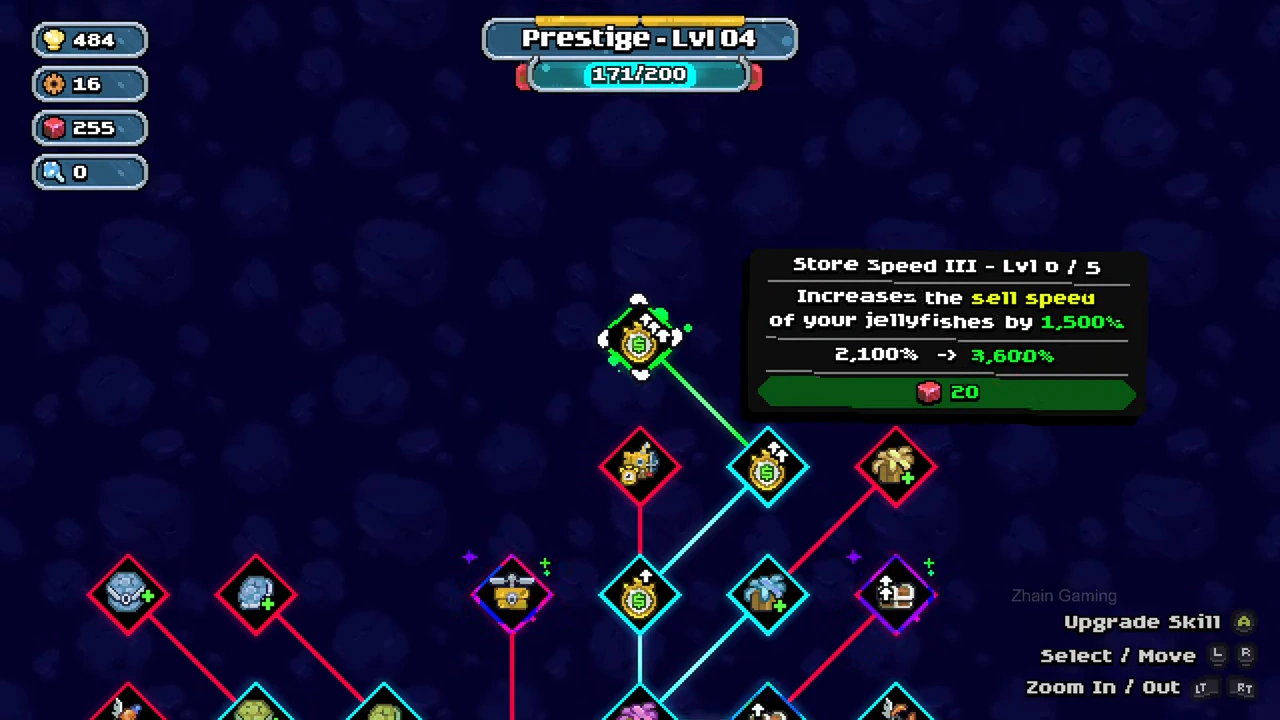
The selected Store Speed III node initially shows level 0/5, a 20-crystal cost and a preview from 2,100% to 3,600% sell speed. Match the red cost icon to the red crystal balance before using Upgrade Skill. The recording then shows the same node advancing through its levels and reaching 5/5.
- Select Store Speed III in the skill tree.
- Read the current level, next speed and resource icon.
- Use the displayed Upgrade Skill control.
- Check the updated level before repeating the purchase.
Check the completed node
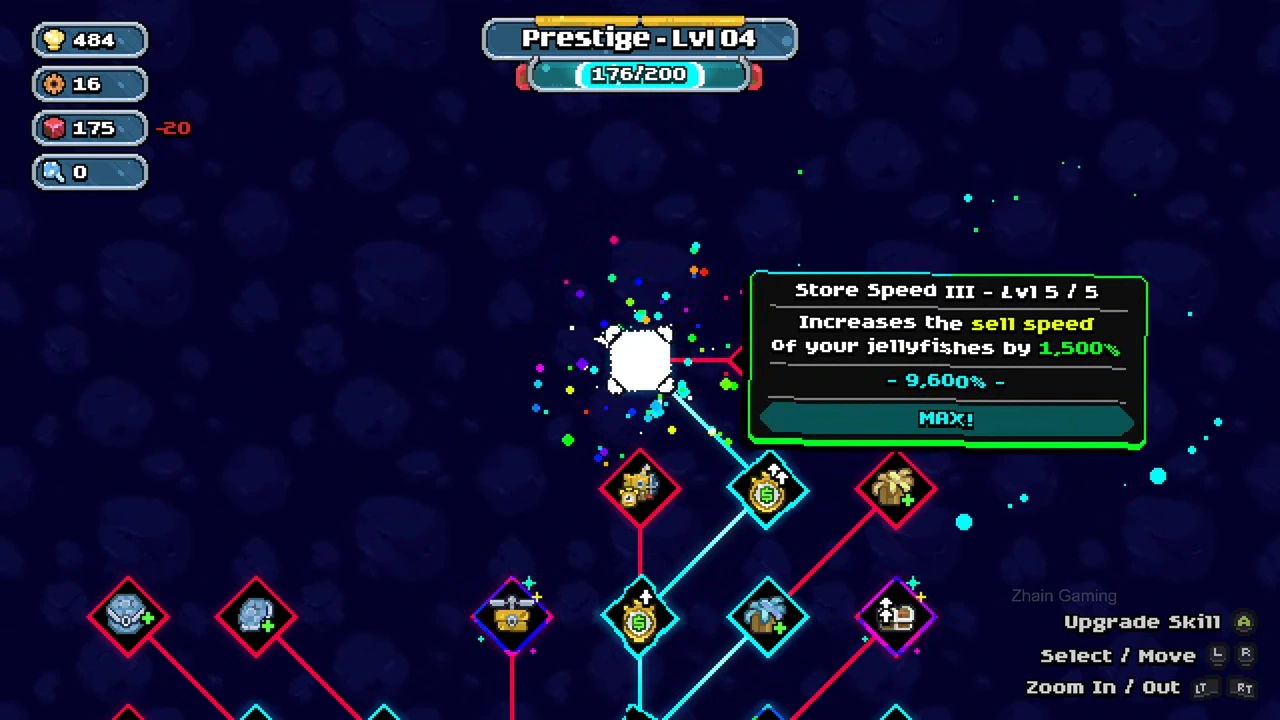
At level 5/5 the node reads MAX and displays 9,600%. That confirms the upgrade state. It does not measure how many seconds a shop sale takes on every save.
Choose chest collection or value separately
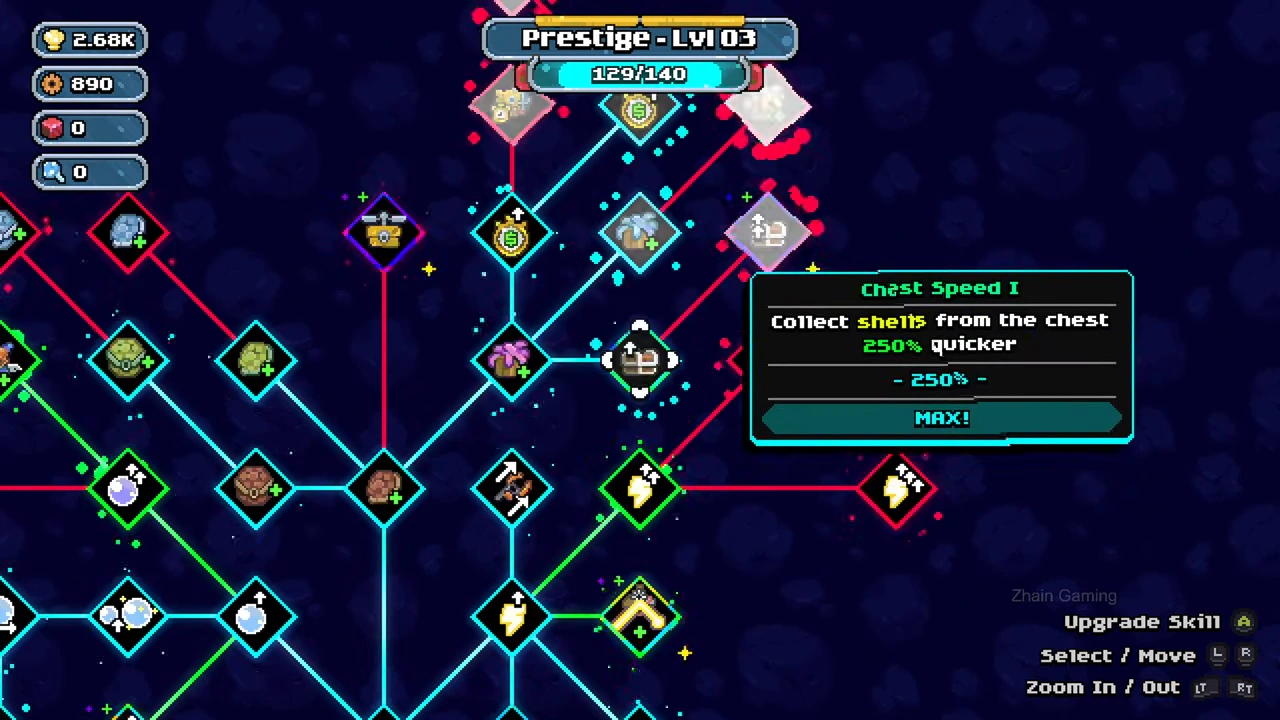
Chest Speed I explicitly says collection from the chest is 250% quicker in its completed state. Jellyfish Value I is a different node whose tooltip describes more shells. Read the current tooltip rather than substituting a speed percentage for a payout increase.
Read store space separately from a stack count
The panel directly above the SHOP sign shows four stock positions. One position contains a purple jellyfish stack marked 7, while three positions are empty. The store therefore holds more individual jellyfish than its number of positions in this view.
Use the occupied and empty positions to judge remaining store space. Do not use the blue player or submarine inventory panel as the store-capacity readout. This example does not establish a maximum stack size or demonstrate what happens when another item is offered to a completely full store.
Choose the store-slot upgrade for capacity
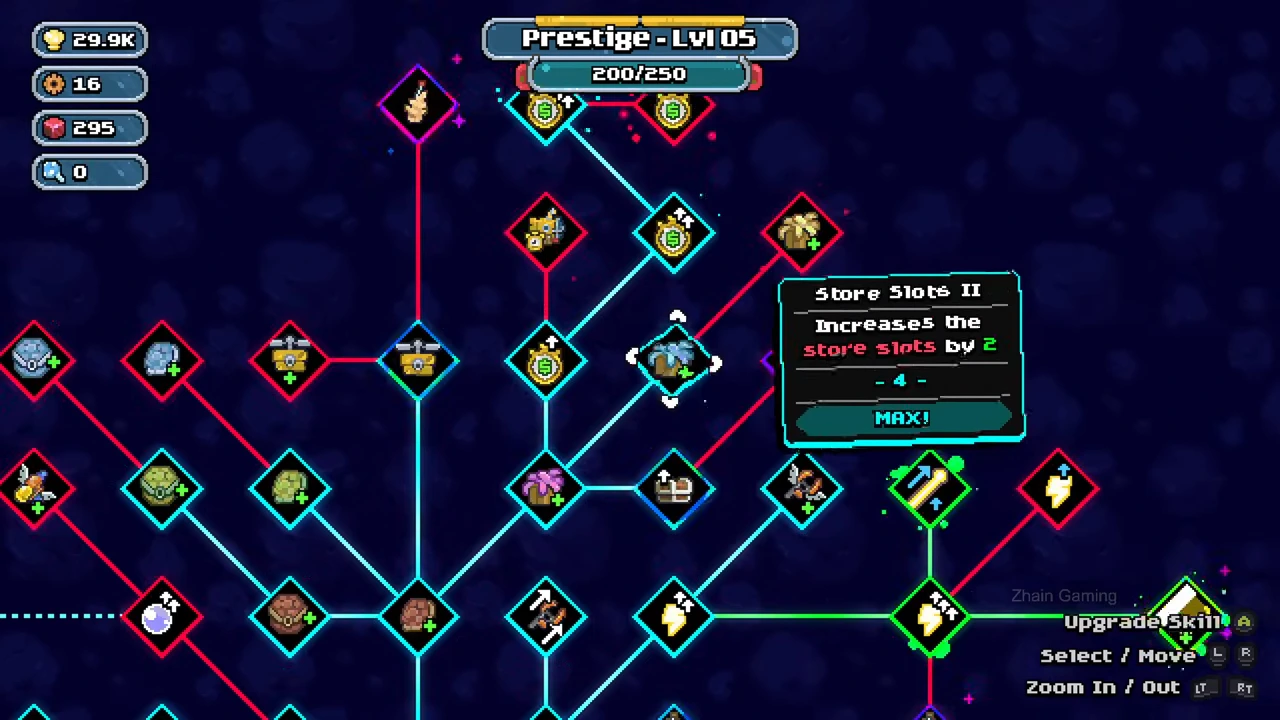
Select Store Slots II in the skill tree. Its tooltip says it increases store slots by 2; the completed state displays 4 and MAX. This is a capacity control, separate from Store Speed and Chest Speed.
The pictured node is already completed. For an unpurchased capacity node in your own save, read its current preview and cost before using Upgrade Skill, then verify the store panel again. The image does not supply the missing purchase price or show that purchase happening at that moment.