Unlock the starting submarine
During the opening tutorial, move to the building marked by the upward arrow and open its skill tree. Select Submarine and use the displayed Upgrade Skill action. The initial panel says Free; after activation it changes to MAX and the submarine appears outside. This opening node is separate from the paid improvements below.
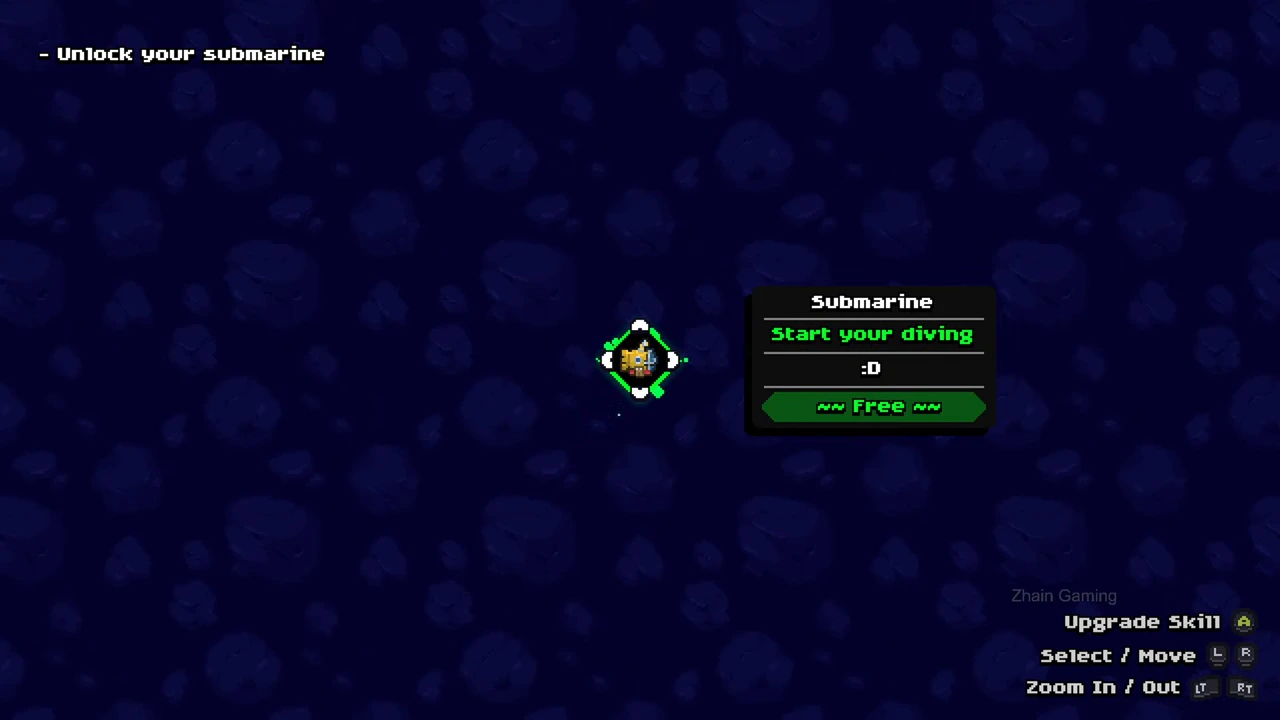
Match the purchase to the problem
The two selected upgrades change different parts of an expedition. The decision column is a suggested use of their displayed functions, not a measured fastest progression route.
| Skill | Recorded cost | What the panel promises | When to consider it |
|---|---|---|---|
| Submarine Storage | 15,000 shells | A floating place to store jellyfish during an expedition | Storage space is the reason you want to interrupt collecting. |
| Submarine Bubble I | 250,000 shells | Oxygen refill while near the submarine | Your planned route can bring you back near the submarine before air runs out. |
Buy Submarine Storage and recognize its separate space
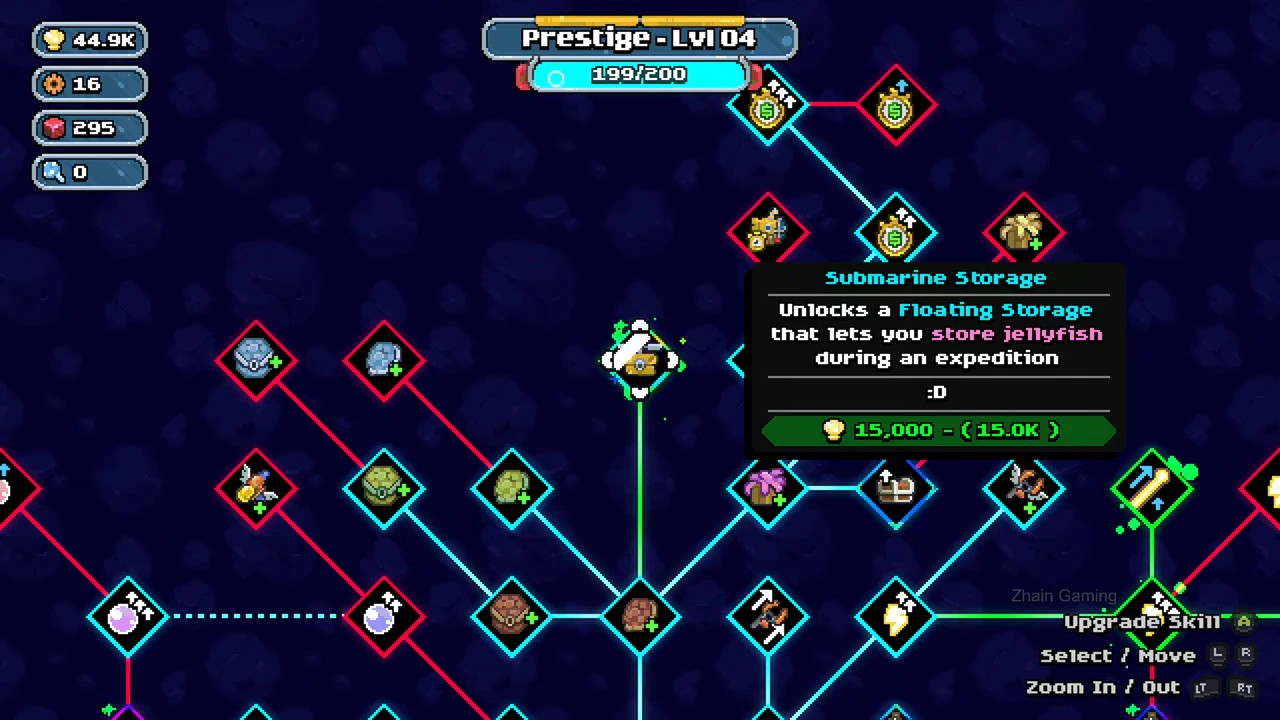
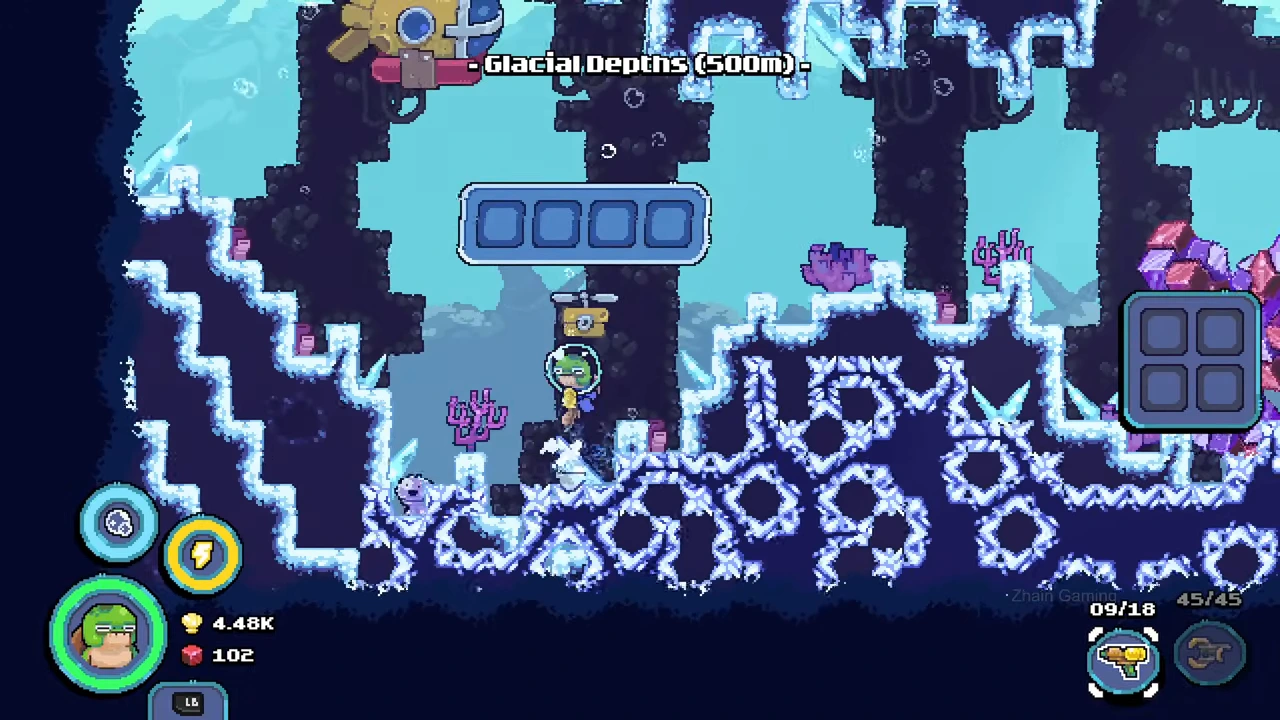
Find the node named Submarine Storage in the skill tree and compare the shell icon and 15,000 cost with your shell balance. The recording shows the paid panel followed by MAX. Its later expedition screen has a floating storage box with four cells across; the player inventory is a separate two-by-two panel at the right.
Those four storage cells are a recorded starting state. Buying this node does not mean that the player inventory, shop display and floating storage are one shared panel. The pictured box is empty, so this image does not demonstrate a completed deposit or retrieval.
- Select Submarine Storage and read its function and cost.
- Use Upgrade Skill when the matching balance is sufficient; confirm the node now displays MAX.
- Start an expedition and locate the floating storage box; distinguish its cells from your own inventory before using it.
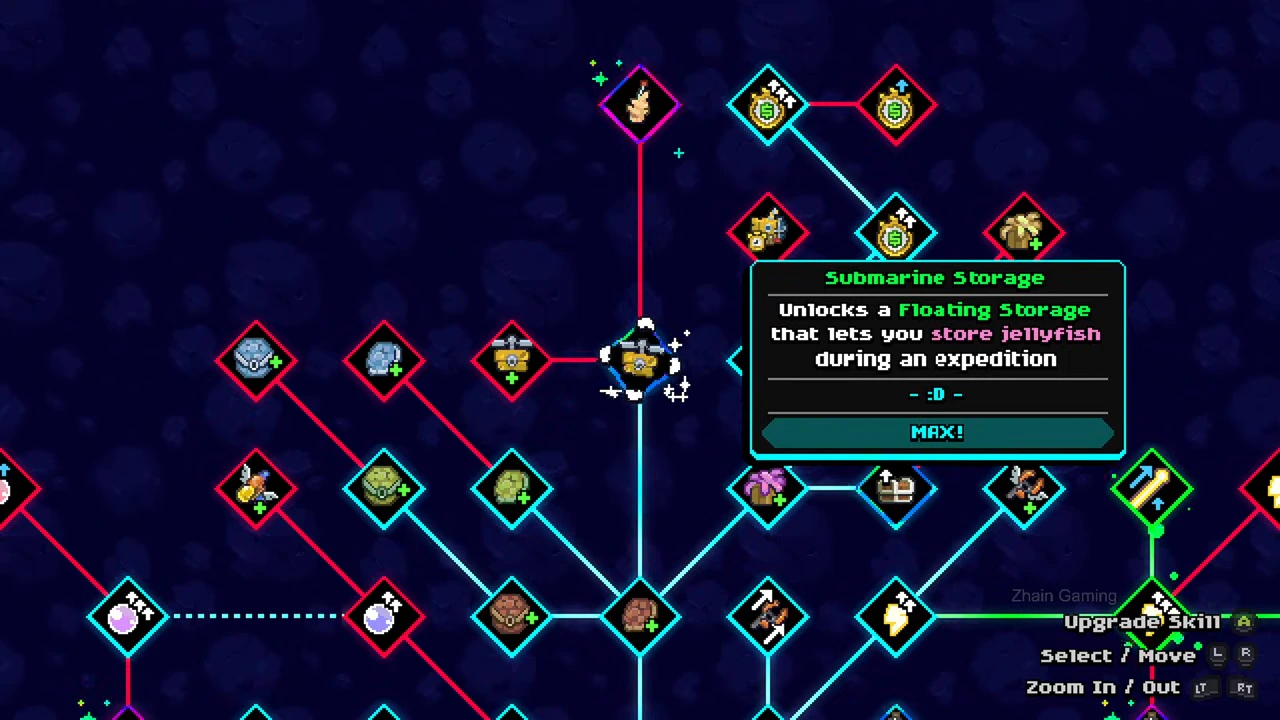
Check the purchased storage state
The same node is marked MAX after the purchase. This is the confirmation for this unlock, rather than a claim that every submarine upgrade is finished.
Keep the two inventories distinct
The floating box appears near the diver in the glacial expedition. Its four horizontal cells and the separate player panel make the two storage destinations recognizable.
Buy the oxygen bubble for a route that revisits the submarine
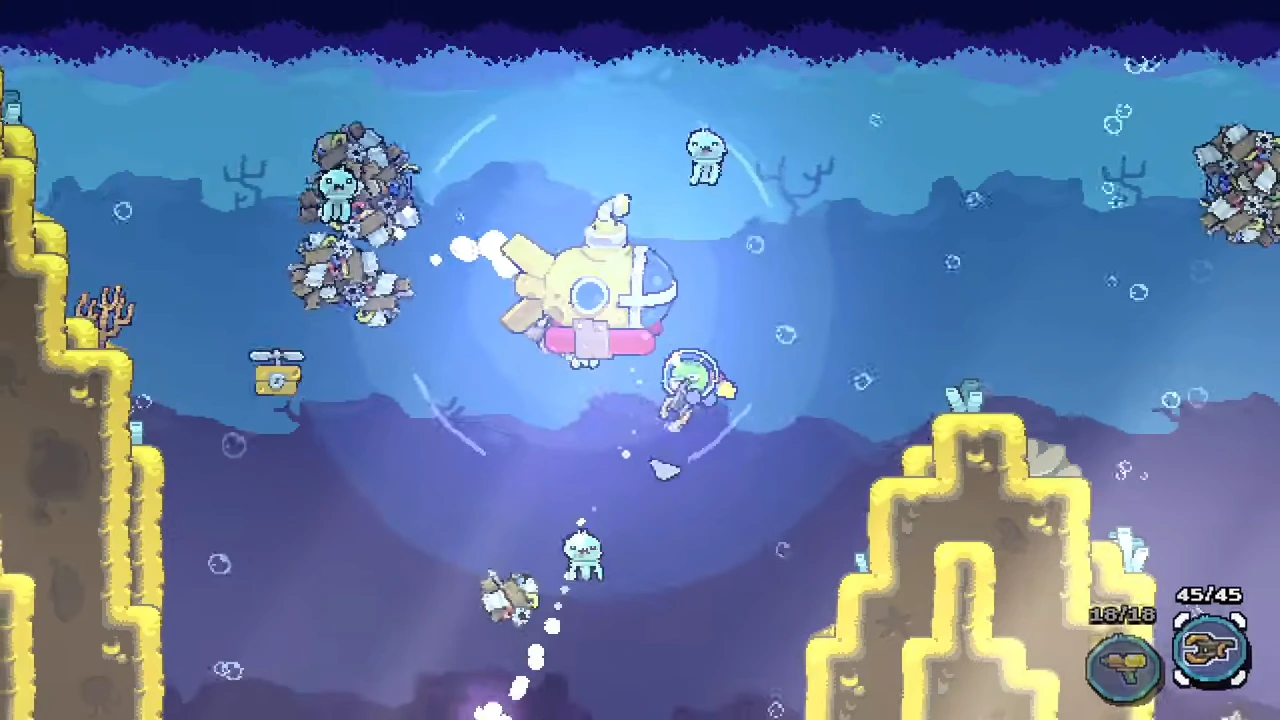
Submarine Bubble I is an oxygen skill. Its panel requires 250,000 shells and explicitly places the refill near the submarine. The purchase changes this node to MAX; a later expedition shows the surrounding bubble.
Plan the return leg while you still have air. A nearby refill does not establish an unlimited oxygen supply everywhere on the map. These frames also do not establish the refill rate or the radius in meters.
- Select Submarine Bubble I and check its 250,000-shell requirement.
- Use Upgrade Skill and confirm the purchased state.
- On the next dive, recognize the bubble around the submarine and plan a route back to that area instead of assuming the effect follows you everywhere.
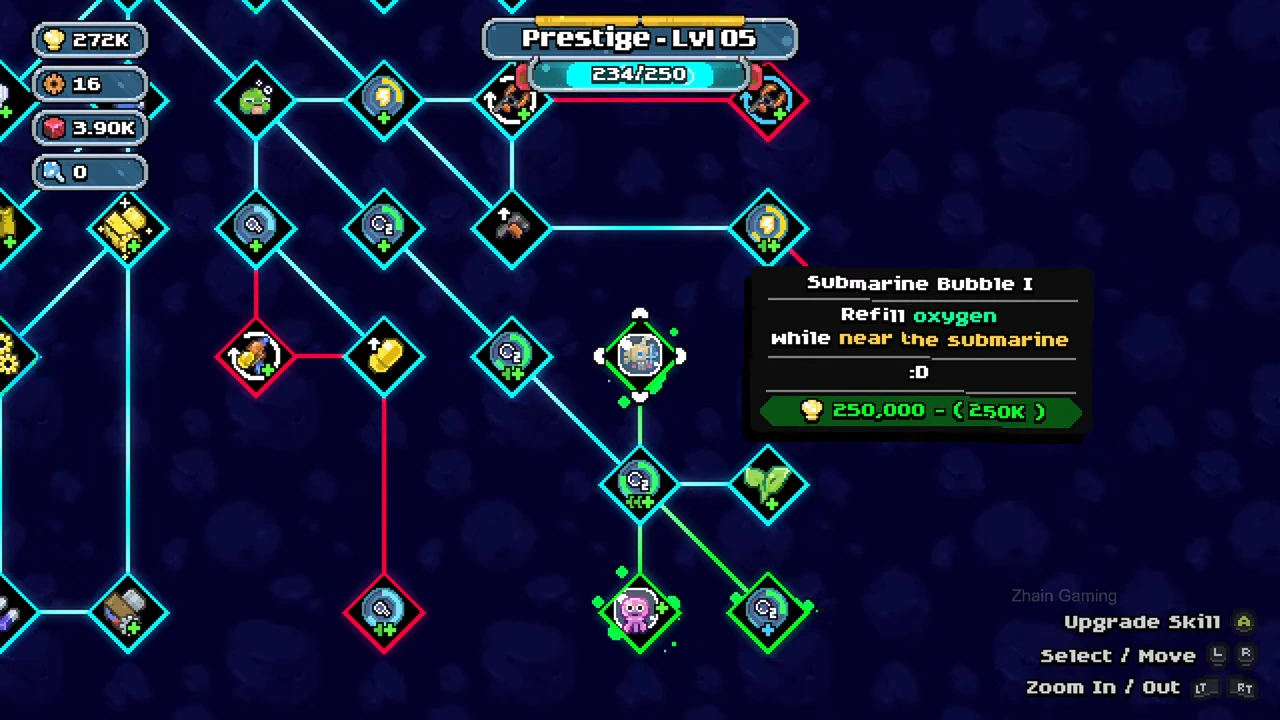
Confirm the bubble unlock
The purchased panel displays MAX, with a 250K deduction animation beside the shell balance. That is evidence of this purchase; the balance is still animating in this frame.
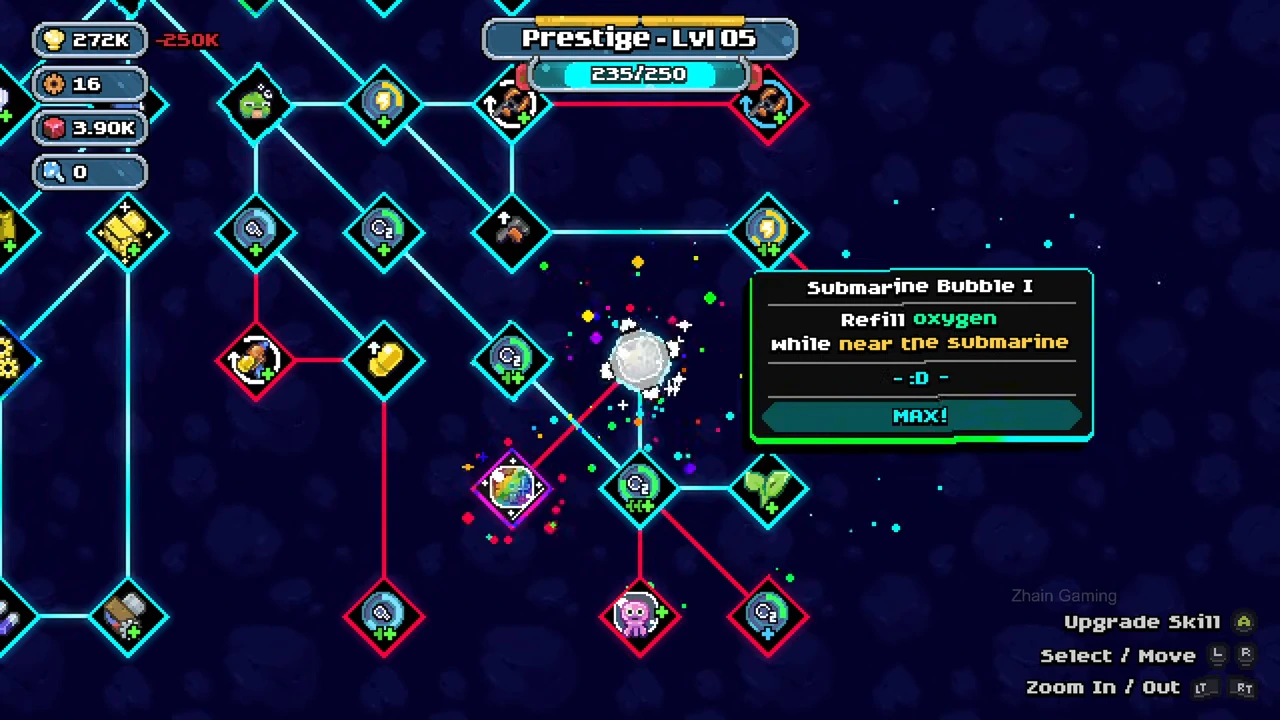
Recognize the refill area on a dive
The later shallow-water frame shows the diver beside the submarine inside its visible bubble. Use the selected skill’s location condition together with this visual cue; do not read a refill speed from the bubble’s appearance.
Keep this decision separate from other upgrades
An oxygen-tank upgrade changes a displayed oxygen amount, while a player-inventory upgrade changes inventory slots. Neither label should be substituted for the submarine’s storage or nearby refill skills. Use the linked oxygen guide when the problem is how long you can remain away from the submarine.