Match the name to the selected depth
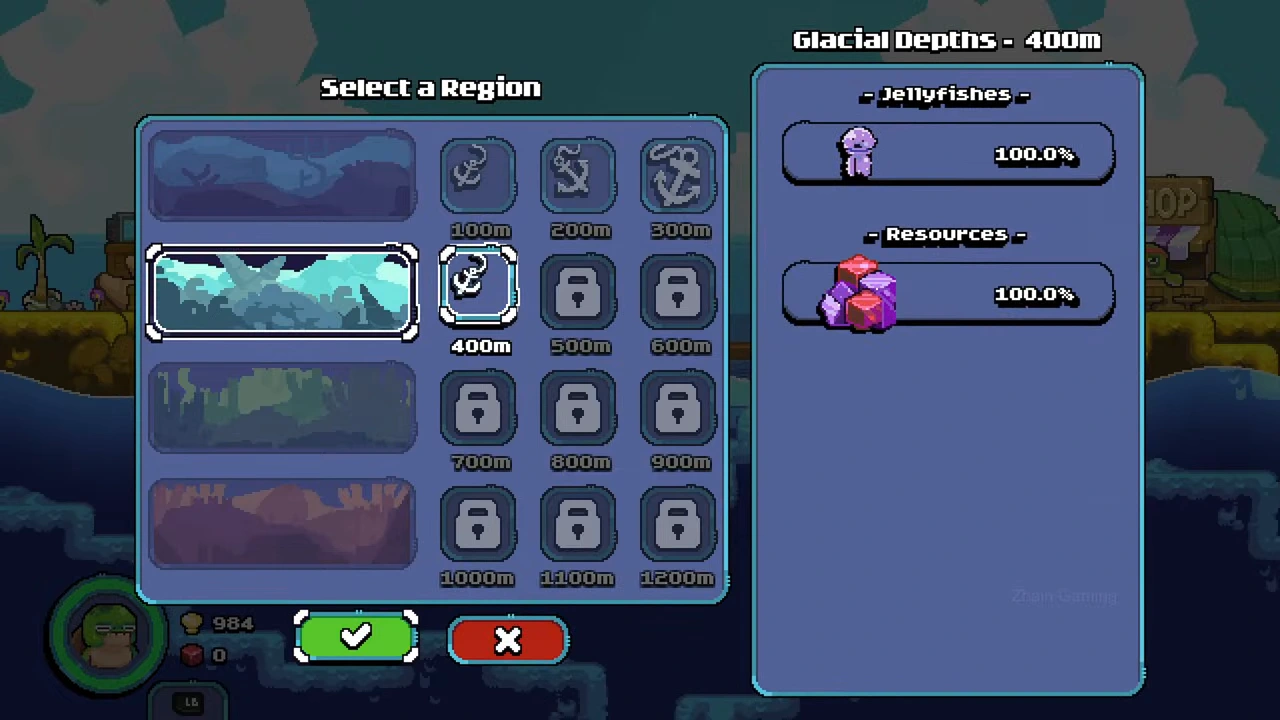
The recorded selector has four landscape rows and three depths in each row. These are the native names observed in the recording; a name from an old guide outline is not a separate destination.
| Region name observed | Depth observed by name | Row of depth buttons |
|---|---|---|
| Ocean Shallows | 100 m in the opening run | 100 / 200 / 300 m |
| Glacial Depths | 400 m | 400 / 500 / 600 m |
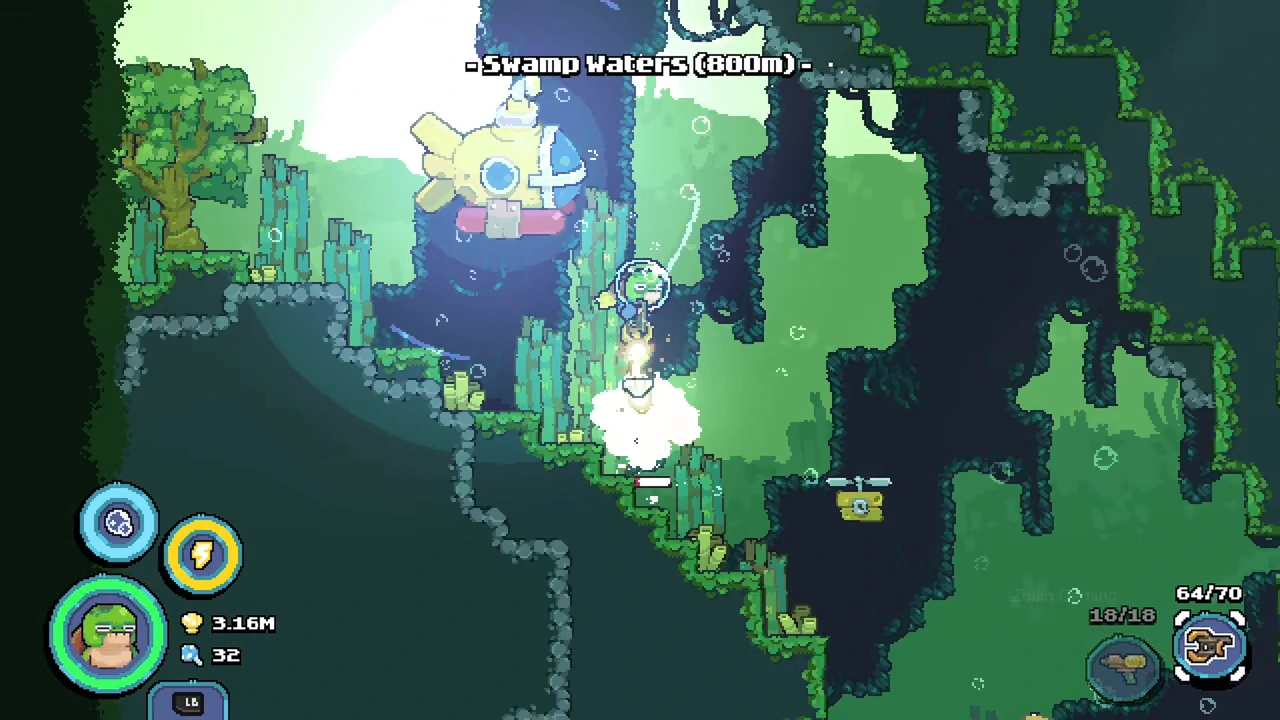
| Swamp Waters | 800 m | 700 / 800 / 900 m |
| Magma Abyss | 1000 m and 1100 m | 1000 / 1100 / 1200 m |
Read the selected destination rather than the whole row
At Glacial Depths 400 m, the right panel shows one purple jellyfish icon and one crystal icon, each with 100.0%. Those percentages belong to that selected destination; do not carry them across the other depths.
Confirm and check the arrival label
Choose an unlocked depth and use the green check. The dive displays its region and depth at entry. The recorded Swamp Waters arrival is labeled 800 m, which is a useful check that the intended depth was selected.
A lock is still a lock
The selector can show an accessible first depth next to locked deeper buttons. Viewing a landscape row does not prove every depth in it is unlocked. This recording is from November 2025; compare the labels with your installed version.