Choose the depth button, not only its landscape
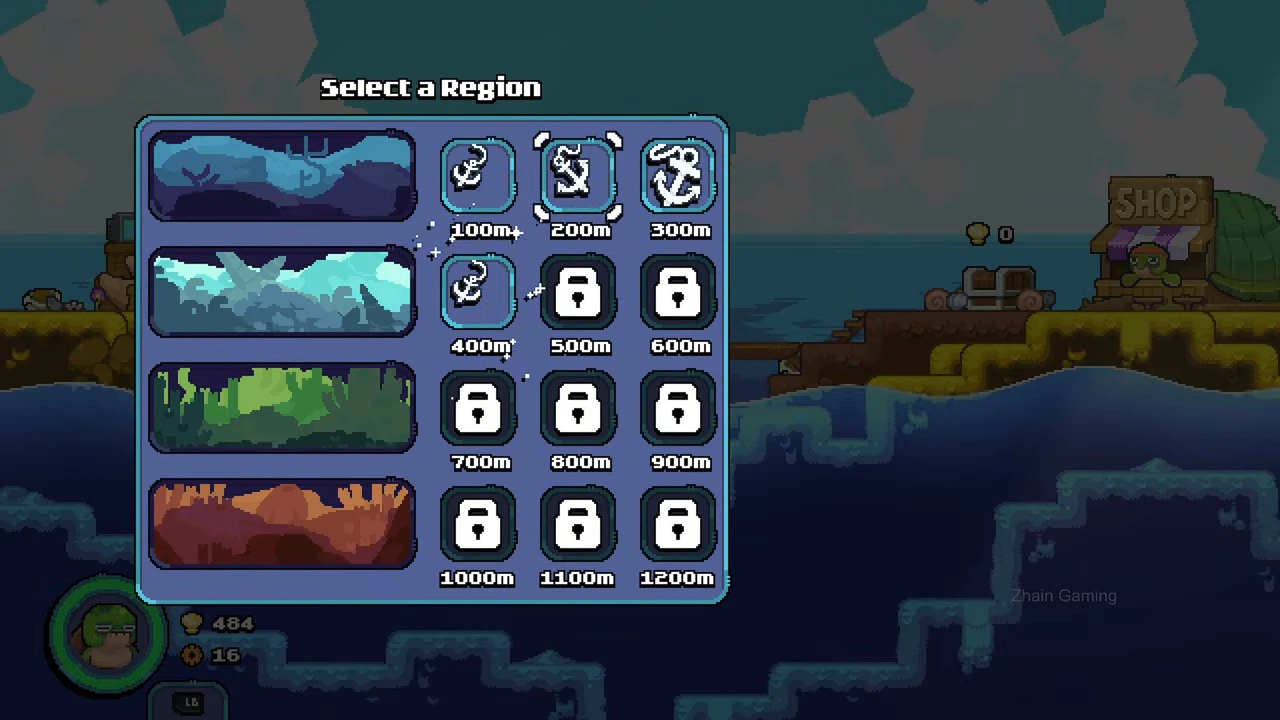
The selector groups twelve depth buttons into four rows. A white selection outline marks the chosen button. A padlock marks a depth unavailable in the recorded save.
- Approach the docked submarine and open region selection.
- Move the selection to the depth you want.
- Check whether the button is available or has a padlock.
- Read the destination title and its right-side preview.
- Use the green check, then verify the arrival label.
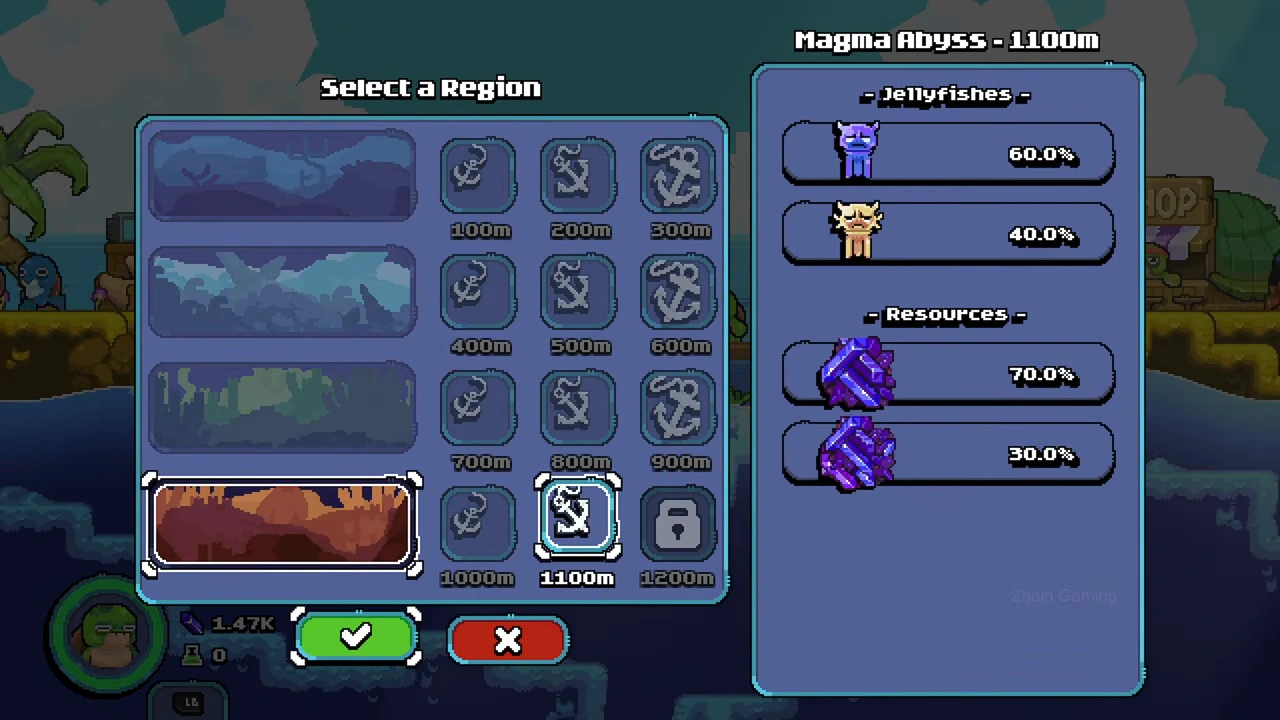
Example: selecting 1100 m
The shown selection is Magma Abyss at 1100 m. The adjacent 1000 m button is available, while 1200 m still has a padlock. Its preview contains two jellyfish icons and two resource icons, so this choice is visibly different from the earlier 400 m example.
Do not read a padlock as a diving error
A locked button is a progression gate visible before the dive. This evidence does not identify the complete prerequisite node and cost for every depth. It also does not show that swimming farther down an earlier expedition unlocks the next button.
Prepare the return as well as the destination
Keep the submarine location in view when possible and watch the oxygen warning. The region selector chooses where the next expedition starts; it does not promise that the oxygen capacity or weapon upgrades on another player’s save match yours.
Worked unlock: finish the displayed prestige step
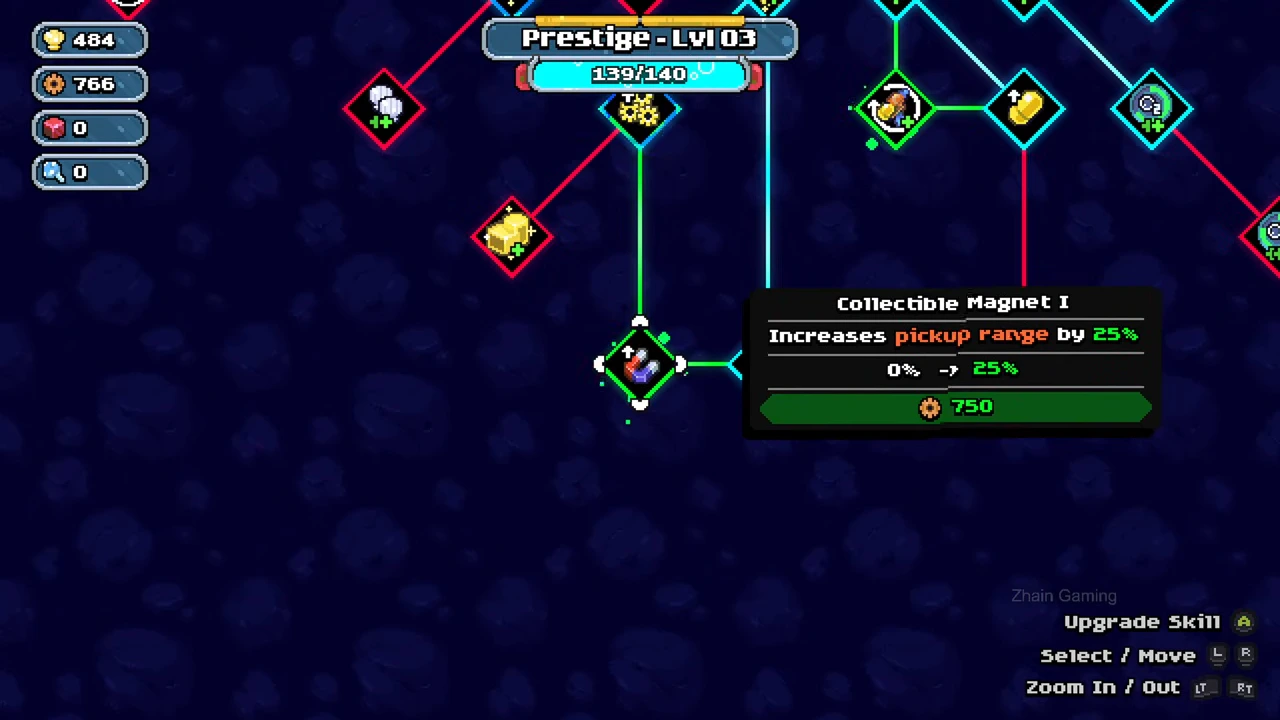
The recorded skill tree shows Prestige level 3 at 139/140. The selected Collectible Magnet I costs 750 scrap and previews pickup range from 0% to 25%. Use Upgrade Skill for that selected node only after matching the cost to the scrap balance.
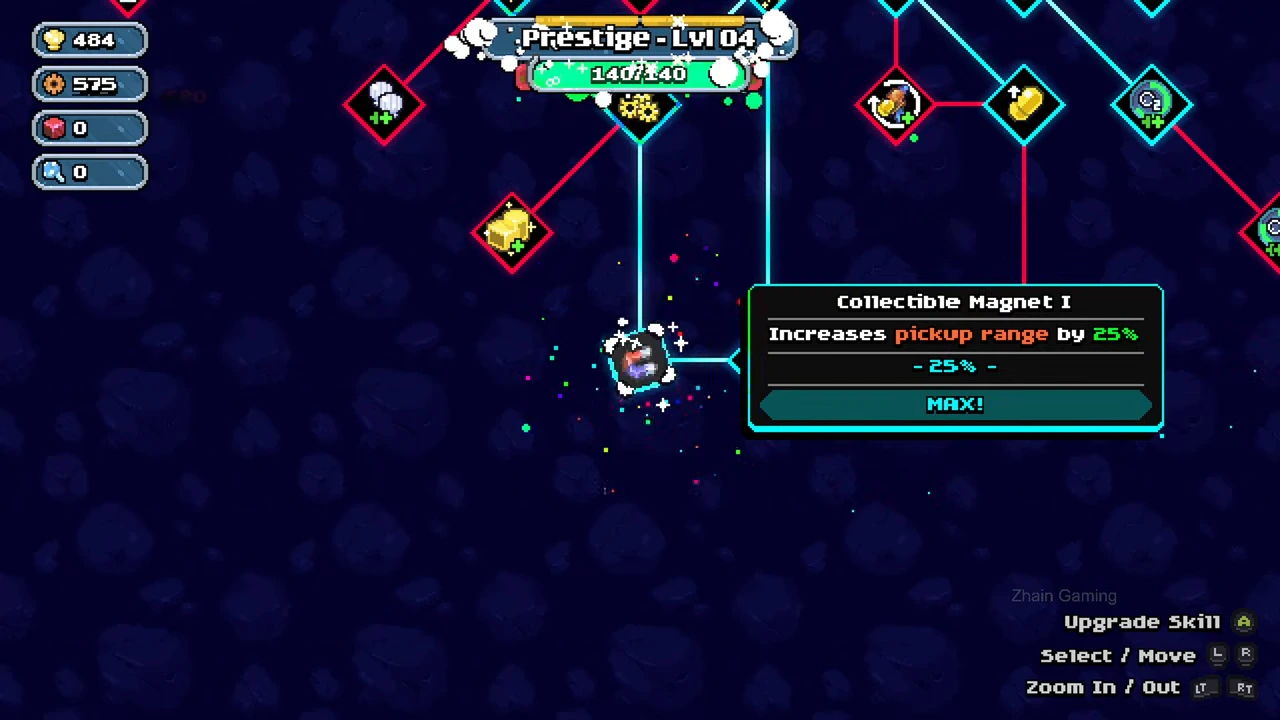
After the purchase, the node reads MAX and the prestige display changes to level 4 at 140/140. Reopen the submarine’s region selector: 400 m plays an unlock effect and becomes available, while 500 m and 600 m remain locked. The player selects 400 m, confirms, and arrives under the header Glacial Depths (400 m).
This demonstrates an upgrade-driven prestige transition followed by a newly selectable depth. It does not establish that Collectible Magnet I is uniquely required, give every earlier prerequisite, or prove that swimming farther down opens a destination.