Separate the type description from the visible identification
Steam mentions mutant amalgamations.
The worked example follows the round, many-eyed pink-red form in Swamp Waters. Its appearance is consistent with that description, but the region menu does not label the icon Mutant. Treat the connection as a working identification; the observations below concern this pictured form.
These frames come from the launch-period recording used elsewhere in this guide. They do not establish a current spawn rule, a split-on-capture mechanic or a guaranteed number of smaller creatures.
Match the region and the icon before diving
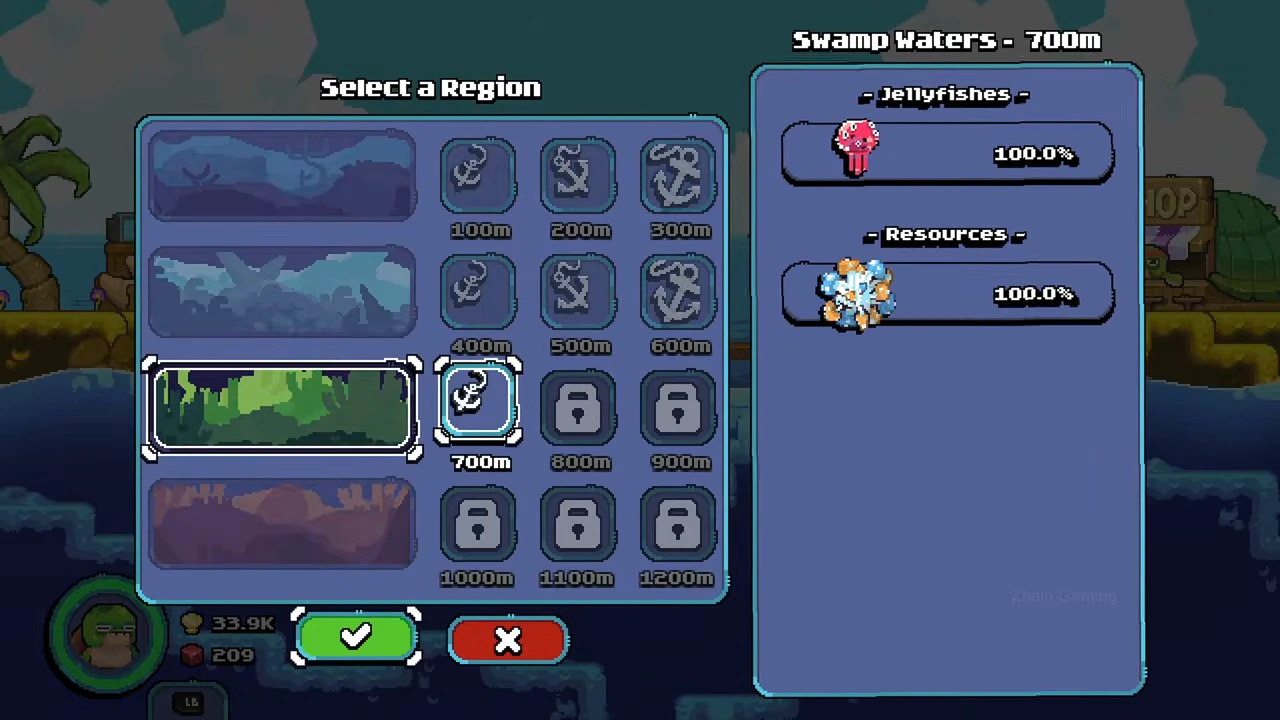
Select Swamp Waters at 700m. The panel shows one many-eyed red icon under Jellyfishes with 100.0%; the row under Resources is separate. That printed percentage describes the menu row, not a measured chance that a shot will succeed.
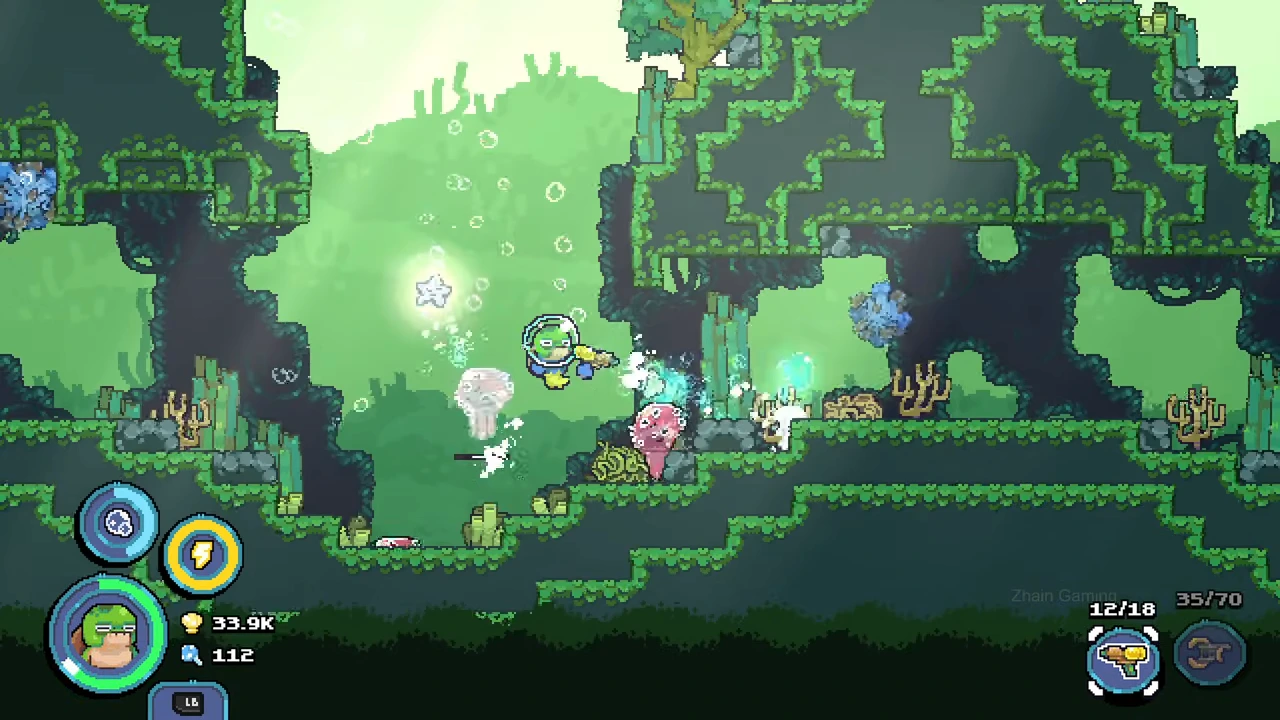
After confirmation and loading, the dive header says Swamp Waters (700m). The many-eyed forms are visible among green walls and vegetation. Use the panel and that header together when comparing your own encounter.
Track the target while using the bubble gun
The recorded player switches from the resource tool to the yellow bubble gun and fires toward the nearby pink forms. Visible target bars and pale hit effects accompany the shots. At one point the bubble counter reads 12/18; later it refills to 18/18. Those figures belong to the selected tool, not a jellyfish collection count.
Keep enough room to follow the same target as it moves, and wait for the tool to refill when necessary. A flashing target, a smaller-looking sprite or several overlapping bodies can be ambiguous in motion. Do not turn one such frame into a claim that mutants always split or that every hit yields a catch.
Use the expedition result to confirm what was retained
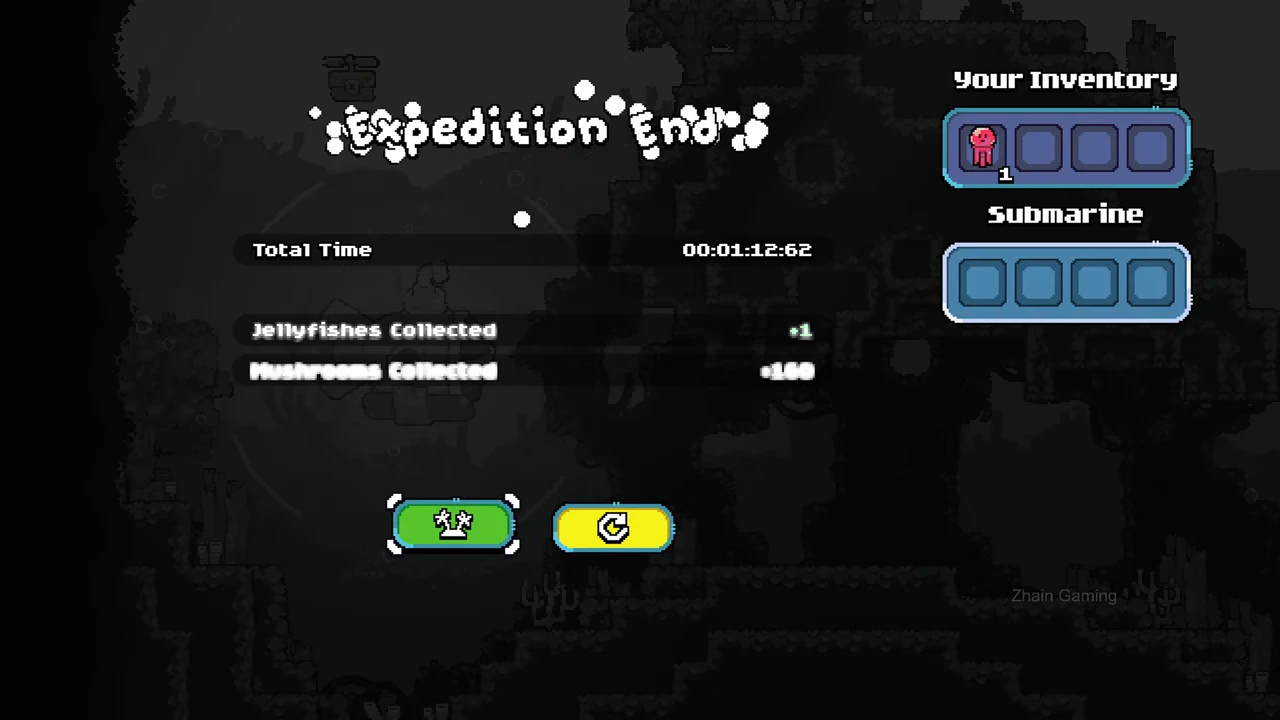
The player returns to the submarine area and ends the expedition. The result screen reads Jellyfishes Collected +1. Your Inventory contains one red jellyfish with a count of 1; the separate Submarine slots are empty. That is the retained result for this whole recorded trip, not one catch awarded for each bubble.
The result does not identify which earlier impact completed the catch. Keep the outcome separate from any proposed explanation of how the many-eyed form changes during damage.
| Readout | What this record supports |
|---|---|
| Jellyfishes Collected +1 | One jellyfish retained for the expedition |
| Your Inventory: one red icon, count1 | The item is in the player inventory |
| Submarine panel empty | No item is displayed in those separate slots |
Carry the result back to the shop
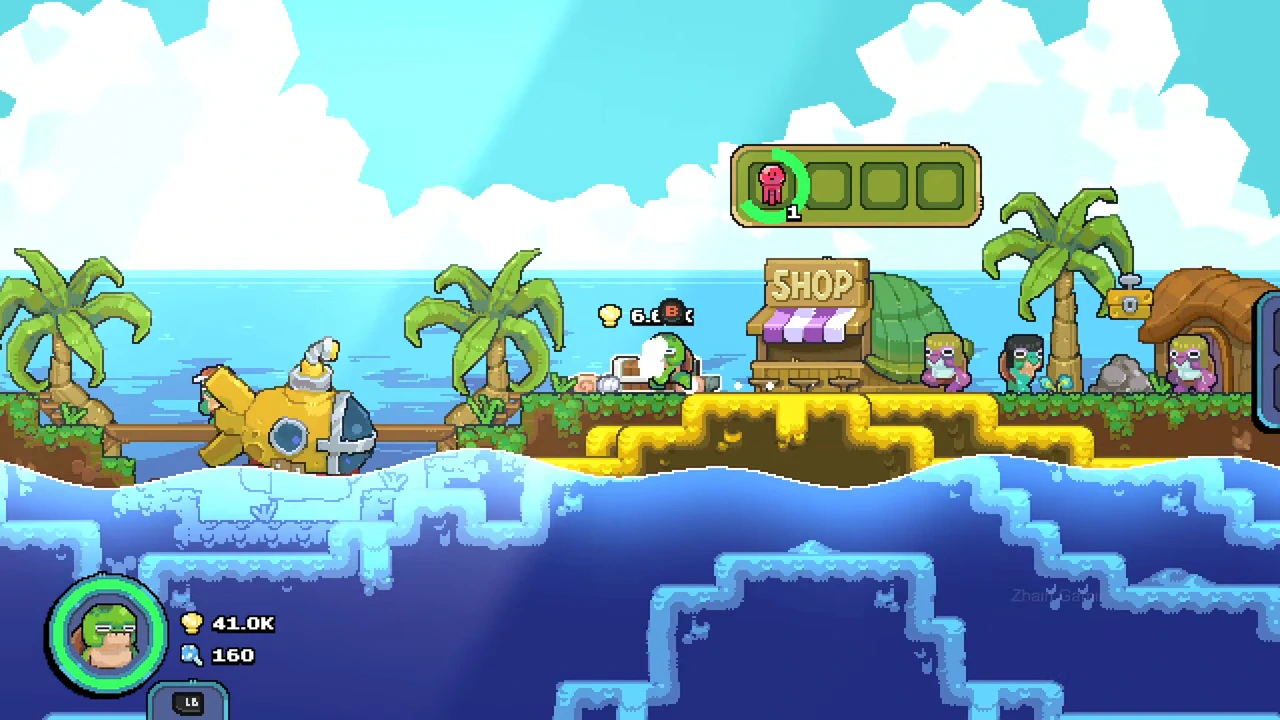
Back on the island, the player approaches the shop transfer point. The transfer display shows the same red inventory icon with a count of 1 and a green progress arc. Other resource and shell changes occur around the return, so those wallet totals are not an isolated price test for this jellyfish.
For your own note, keep the selected depth, a readable target view and the final inventory result together. If you cannot match the appearance, leave the type unconfirmed rather than importing a behaviour rule from an unrelated jellyfish.
- Record the selected region and the pictured jellyfish row.
- Use the bubble gun and follow the target through the attempt.
- Check the expedition result and player inventory after returning.
- Keep capture count, storage location and sale-price claims separate.