Use the selected depth as the lookup key
The five entries below are icon rows from three recorded panels, not five confirmed species names. The colour and shape descriptions help you match a row to its picture. They do not establish that similarly coloured jellyfish in different regions are the same type.
Read the value under Jellyfishes, above the separate Resources heading. These are the percentages displayed by that menu; they are not measured capture success rates, sale prices or a guarantee of your next encounter.
| Selected region and depth | Icon as pictured | Displayed percentage |
|---|---|---|
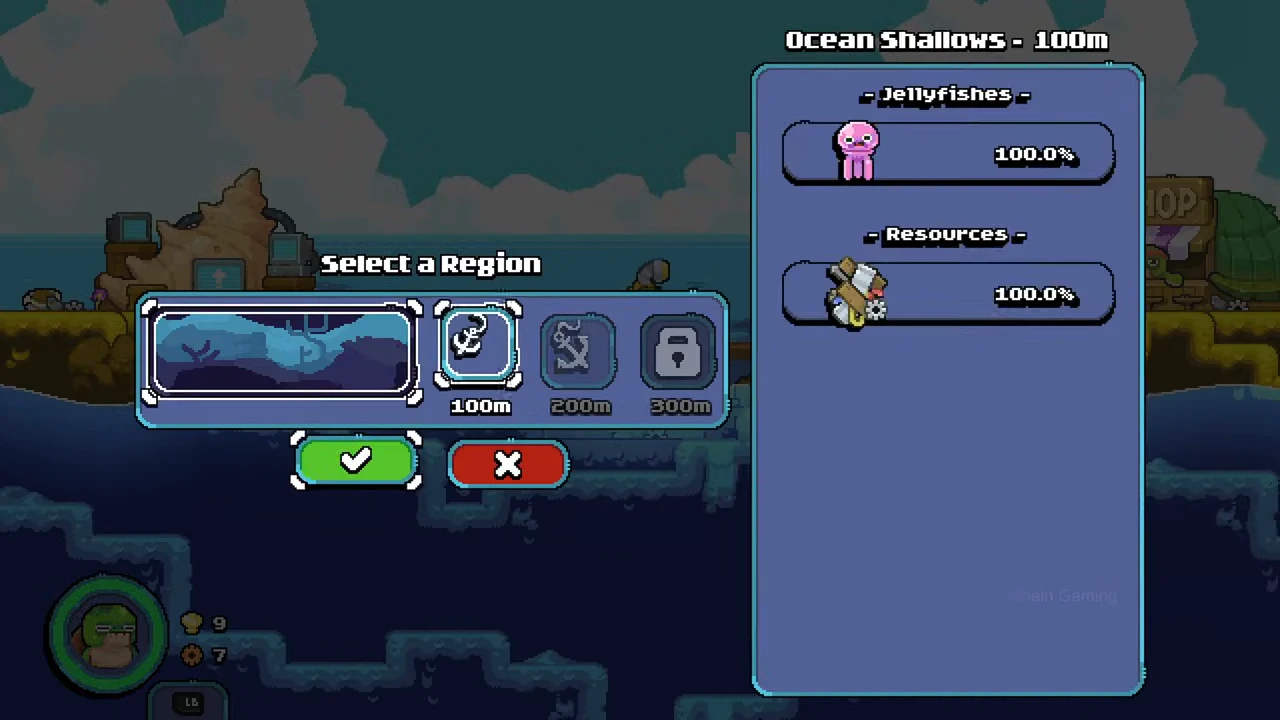
| Ocean Shallows — 100m | Rounded pink-purple jellyfish | 100.0% |
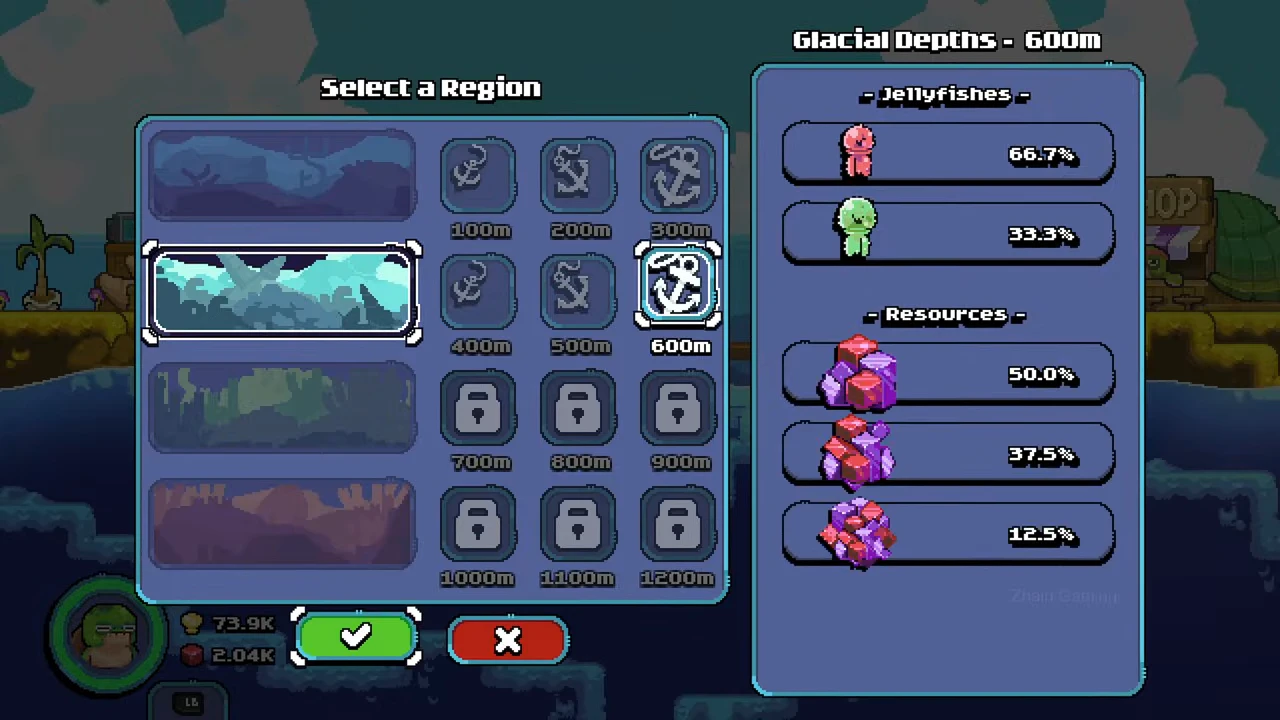
| Glacial Depths — 600m | Pointed pink jellyfish | 66.7% |
| Glacial Depths — 600m | Rounded green jellyfish | 33.3% |
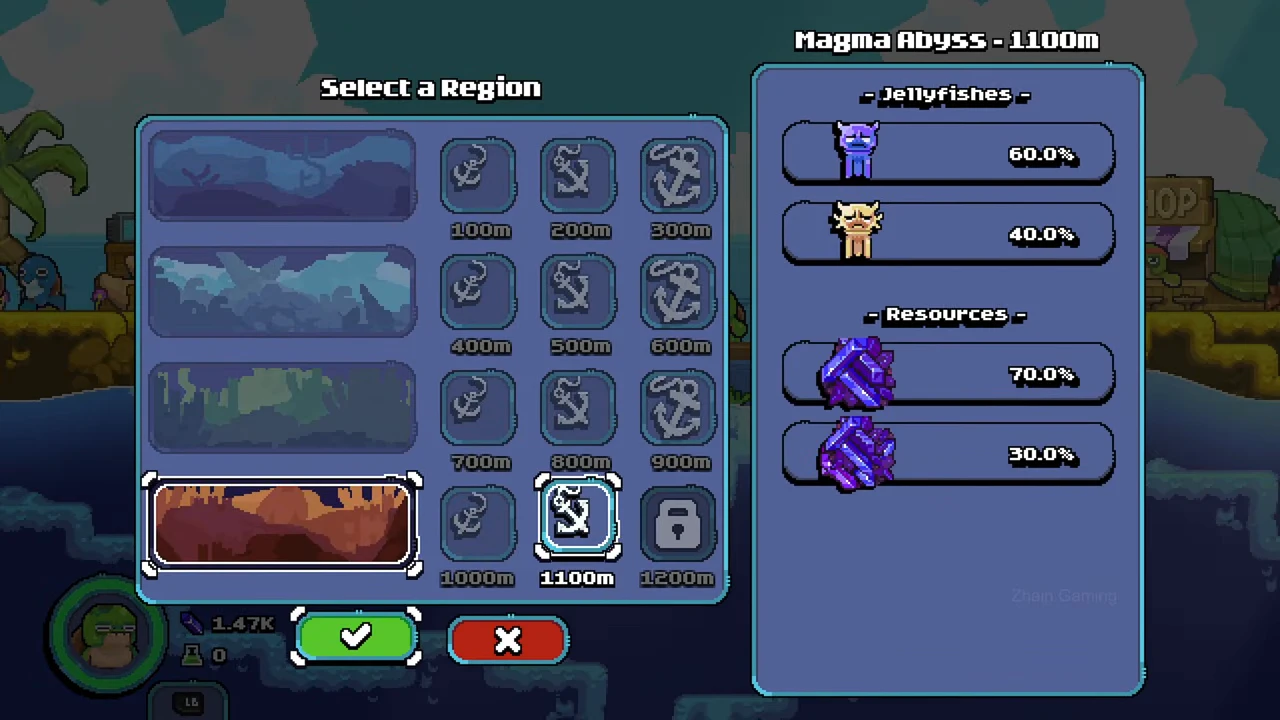
| Magma Abyss — 1100m | Purple horned jellyfish | 60.0% |
| Magma Abyss — 1100m | Yellow spiked jellyfish | 40.0% |
Ocean Shallows 100m: one displayed entry
The 100m panel shows a rounded pink-purple jellyfish icon at 100.0%. The scrap icon below it belongs to Resources, despite also showing 100.0%. Do not put that scrap entry into the jellyfish list.
This picture only supplies the selected 100m panel. It does not show the jellyfish mix for 200m or 300m.
Glacial Depths 600m: two displayed entries
Selecting Glacial Depths at 600m produces a pointed pink icon at 66.7% and a rounded green icon at 33.3%. The crystal illustrations and their percentages below Resources are not additional jellyfish entries.
Use this panel to recognise the two illustrated choices and their displayed proportions. The screenshot does not name either icon as electric or mutant, and a green colour alone is not enough to assign either name.
Magma Abyss 1100m: another two-entry mix
The 1100m panel shows a purple horned icon at 60.0% and a yellow spiked icon at 40.0%. The obsidian illustrations beneath Resources form another list and are excluded from this catalog.
The recording shows 1200m still locked in this menu state. Do not treat the 1100m percentages as the 1200m mix or as the composition of every Magma expedition.
Check the matching panel before your expedition
Open the submarine’s Select a Region menu, select an available region and depth, then read the title above the right panel. Keep its Jellyfishes rows separate from Resources. Use the green checkmark when you have chosen the destination, or the red cross to leave the selection.
If your panel differs, use the values in your own session and record the selected depth with them. A region name without a depth is an incomplete lookup key. A padlock is an access state, not a zero-percent jellyfish entry.
- Open Select a Region at the submarine.
- Select an available depth and confirm the right-panel title.
- Read only the rows under Jellyfishes for this lookup.
- Match each icon and its displayed percentage together.
- Confirm the destination with the green checkmark when ready.
What the names and evidence status establish
The developer description names electric jellyfish, mutant amalgamations and nearby-exploding hellish jellyfish. It does not attach those names to each icon in the three panels above.
This catalog therefore keeps formal names, exact capture requirements and individual sale values unfilled for these icon rows. That prevents a colour description from silently becoming a species claim. Other depths and later menu states remain outside the three-panel record.