Select the node and read its tooltip
The skill tree uses connected nodes, but the selected tooltip supplies the specific effect and price. In the official example, Bubble Damage V is at level 06 of 10. The nearby prestige counter belongs to another part of the interface; do not read 75/95 as this skill’s level.
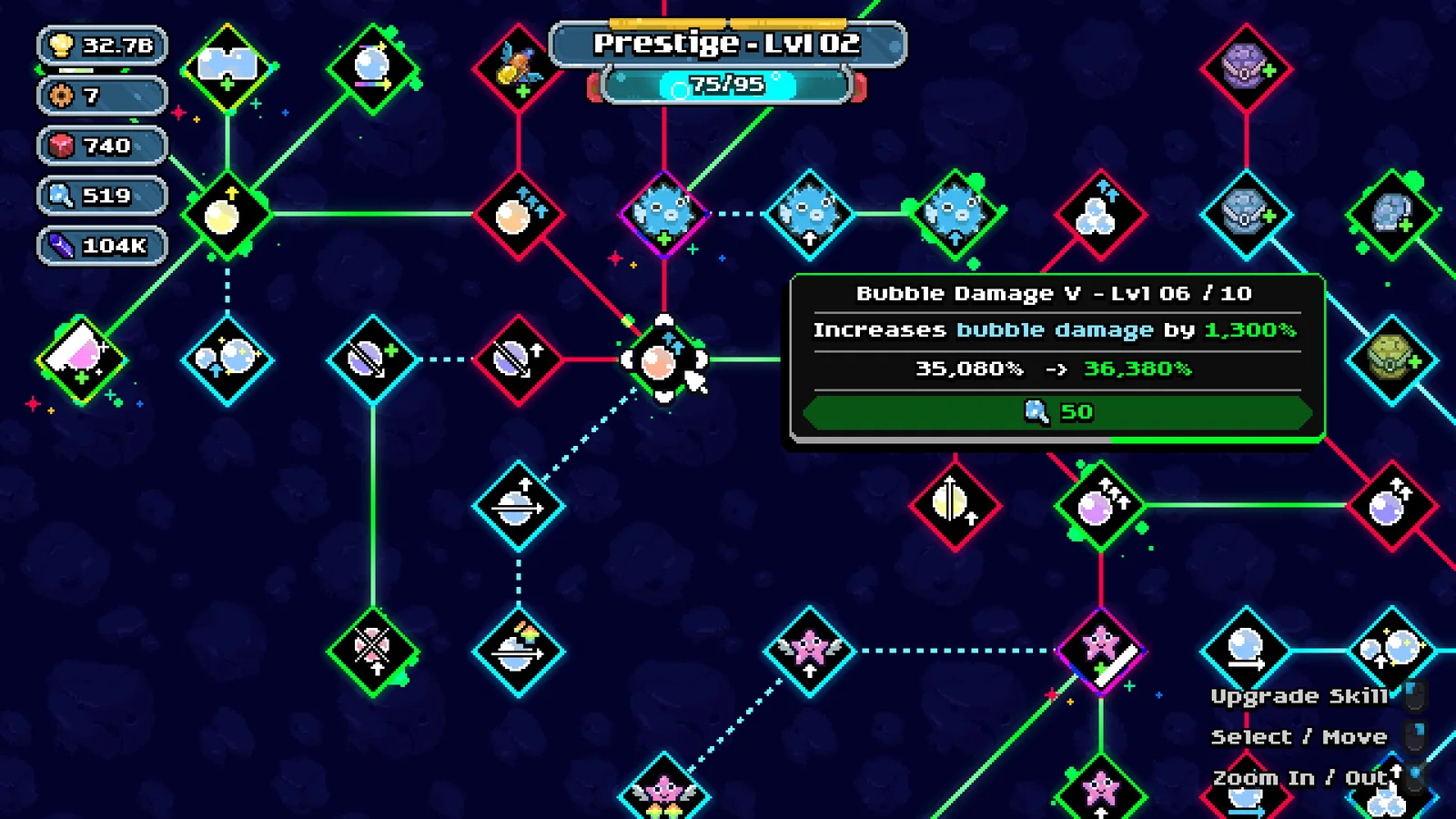
Separate the increment from the next total
The shown preview moves from 35,080% to 36,380%. Subtracting the two gives 1,300 percentage points. It is not a multiplication of 35,080 by thirteen.
| Tooltip part | Displayed example |
|---|---|
| Selected node | Bubble Damage V |
| Current level | 06 / 10 |
| Current → next displayed value | 35,080% → 36,380% |
| Cost | 50 of the blue collectible shown |
Check the matching material balance
The cost line uses a blue collectible icon. A matching icon in the left balance column shows 519 in this image. If a purchase deducted only that pictured 50-unit cost, the remainder would be 469. That is a calculation from the screen, not a captured purchase result.
- Hover or select the intended node.
- Read its effect and next-value preview.
- Match the cost icon to the same icon in your resource balances.
- Use the displayed Upgrade Skill control only for the node you intend to buy.
- Read the updated level and balance afterward.
If the needed collectible is unclear
The developer’s 1.0.1 notes say hovering an upgrade reveals its collectible requirements. The same patch added remapping for the Shellphone upgrade’s skill-tree shortcut. Consult your current binding rather than assuming a fixed keyboard key.